Rated 4.8/5 by 50,000+ Malaysian Users Available for iOS 14+ & Android 8.0+ App Size: iOS ~85MB | Android ~78MB Automatic Updates Every 2 Weeks Safe – No Viruses, No Adware Rated 4.8/5 by 50,000+ Malaysian Users Available for iOS 14+ & Android 8.0+ App Size: iOS ~85MB | Android ~78MB Automatic Updates Every 2 Weeks Safe – No Viruses, No Adware
Free Download – No Charges

Download App 11bola – All Games in Fingertip You, Anytime

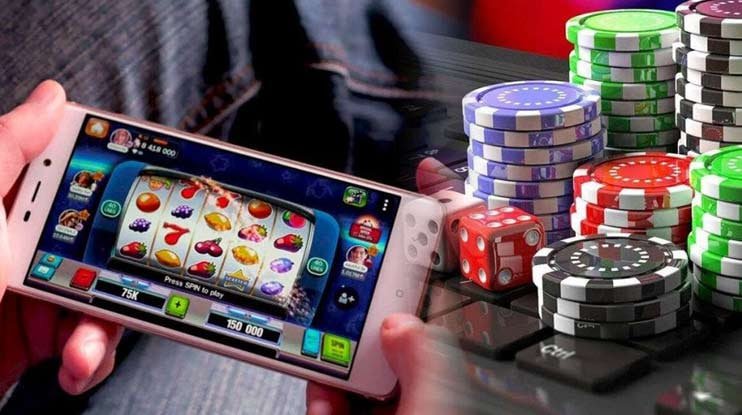
Get the best gaming experience straight from your phone. The 11bola app is available for iOS and Android – fast, lightweight, and specially optimised for Malaysian players.

Register an account before downloading for full access to all app features.
4.8
iOS Rating
4.7
Android Rating
85MB
iOS Size
78MB
Android Size
11bola

Download for All Devices

11bola is available on three major platforms – choose the one that best suits your device and start your seamless gaming experience.

🍎
iOS / iPhone
Version 3.2.1 · Latest
  • Compatible with iOS 14 and above
  • Optimised for iPhone 8 and above
  • Face ID & Touch ID Support
  • Push notifications for promotions
  • Download size: ~85 MB
  • Last updated: June 2026
★★★★★ 4.8 (12,400 reviews)
Download on the App Store
🤖
Android
Version 3.2.0 · Latest
  • Compatible with Android 8.0 (Oreo) and above
  • Minimum 2GB RAM recommended
  • Fingerprint authentication support
  • Push notifications for updates
  • Download size: ~78 MB
  • Last updated: June 2026
★★★★★ 4.7 (28,600 reviews)
Download on Google Play
🌐
Web Version
No Download
  • Access directly from your web browser
  • Compatible with Chrome, Firefox, Safari, Edge
  • No installation required
  • Always on the latest version
  • Access from desktop, tablet & mobile
  • All features fully available
Ideal for users who prefer not to use their phone's storage.
Open Web Version
11bola

Minimum System Requirements

Specifications IOS Android
Minimum OS IOS 14+ Android 8.0+
RAM 2 GB 2 GB
Storage 300 MB 250 MB
Internet 2 Mbps+ 2 Mbps+

How to Install the App 11bola on Android

Installing the App 11bola on an Android phone is incredibly simple. Follow the steps below and you can start playing in under 3 minutes.

1
Open Google Play Store

Open the Google Play Store on your Android phone. Make sure you are signed in with an active Google account.

2
Search "11bola"

Type "11bola" in the Play Store search bar. Make sure you select the official 11bola app – check the logo and developer name to avoid imitations.

3
Click "Install"

Click the "Install" button and wait for the download to complete. File size is ~78MB – make sure you have enough free storage.

4
Login or Register

Open the app, log in with your existing 11bola account or register a new one. The registration process takes less than 2 minutes.

5
Start Playing!

Explore the 11bola Game Lobby with 1,200+ titles directly from the app's home screen. Enjoy slots, Live Casino, sports and esports anytime.

How to Install the App 11bola on iPhone

IPhone users can get the app 11bola directly from the App Store with ease. The installation process takes under 5 minutes depending on your internet speed.

1
Open App Store

Find the App Store icon on your iPhone's home screen and tap to open it. Make sure you are signed in with an active Apple ID.

2
Search "11bola" in the Search Tab

Tap the "Search" tab at the bottom of the App Store, then type "11bola" in the search box. Select the app with the official 11bola logo and name.

3
Click "Get" & Confirm

Tap the "Get" button (free), then confirm with Face ID, Touch ID, or your Apple ID password. The download will start automatically.

4
Allow Notifications (Recommended)

Once the app is opened for the first time, allow notifications to receive promotional updates and exclusive offers from 11bola.

5
Enable Face ID for Login

Enable Face ID login in the app settings for a faster, more secure experience – no need to type your password every time.

If you cannot find the 11bola app in the Malaysia App Store, try changing your App Store region to "Malaysia" in your Apple ID settings.

11bola

Why Choose the App 11bola?

The 11bola app is more than just a standard mobile version – it's built with exclusive features that make the gaming experience far better than the web version.

⚡

2x Faster Loading

The native app loads games 2x faster than the web version because assets are stored directly on your device.

🔒

Biometric Login

Face ID, Touch ID, and fingerprint login are fully supported – log in securely in one second without typing a password.

🔔

Exclusive Promotion Notifications

Never miss a bonus offer or limited-time promotion – push notifications keep you instantly updated at all times.

📡

Stable on 3G/4G/5G

The app is optimised to reduce mobile data usage – ideal for playing on Maxis, Celcom, Digi, or U Mobile data.

🎮

Optimised Game Controls

Spin buttons, casino table controls, and Game Lobby navigation are specifically optimised for touch – not just a resized desktop screen.

💰

In-App Deposit & Withdrawal

Make deposits and withdrawals directly from the app without opening a web browser – a seamless and secure financial experience.

🌙

Native Dark Mode

The app automatically follows your phone's dark/light mode setting – easier on the eyes when playing at night.

📊

Full Account Dashboard

Check your balance, transaction history, game records, and bonus status right from the app's home screen with a single tap.

🔄

Automatic Updates

Automatic app updates every 2 weeks ensure you always have the latest features and up-to-date security.

11bola

App vs Web Version

Features App Web
Load Speed 2x Faster Standard
Biometric Login Yes No
Push Notifications Yes No
Storage Required 78–85 MB None
Full Game Selection Yes Yes

Everything You Need to Know Before Download

If you're still wondering whether to download the app or just use the web version, the answer depends on how you play. But if you're the type who plays 11bola every day or nearly every day, the mobile app is definitely worth downloading.

App Security

Many users have concerns about the security of online gambling apps. The official 11bola published through the App Store and Google Play have undergone rigorous security review processes by Apple and Google respectively. Our app contains no adware, spyware or any malicious code. All data transmitted between the app and 11bola's servers is protected by 256-bit SSL encryption.

Update Management

11bola app updates are released every 2 weeks with performance improvements, new features, and security patches. We recommend enabling automatic updates in your App Store or Google Play settings so you always have the latest version. Every update is thoroughly tested across a range of Malaysian phone models before release.

Battery & Data Usage

The 11bola app is optimised for efficient battery usage. Standard slot games use approximately 3–5% battery per hour, while Live Casino uses slightly more (5–8%) due to video streaming. A WiFi connection is recommended for Live Casino streaming. For regular slots, 4G LTE with 200–300MB of data per hour is sufficient.

Having Trouble Downloading?

If you encounter any issues while downloading or installing the app 11bola, here are some quick troubleshooting steps: make sure your phone has enough storage (at least 300MB free), check your internet connection, try signing out of your App Store/Google Play account and signing back in, or restart your phone. If the issue persists, the 11bola support team is available 24/7 via live chat within the platform. You can also use the web version as a temporary alternative while waiting for the issue to be resolved.

For the best experience, also read Platform page for more information on technical specifications and recommended system requirements.

FAQ – Download 11bola

Yes, the 11bola app is completely free to download from the App Store (iOS) and Google Play (Android). There are no charges for downloading or installation. To access real-money games, you will need to register an account and make a deposit using a supported payment method.

Yes, your 11bola account can be accessed from multiple devices simultaneously – for example, from an iOS phone at work and an Android phone at home, or via the web version on a computer. All account data, credit balances and game history are automatically synced across all devices in real time. You only need to log in with the same account credentials.

The 11bola app is designed to run on phones with iOS 14 or above, or Android 8.0 (Oreo) or above, with a minimum of 2GB RAM. If your phone is older than these requirements, you can still access 11bola via the mobile browser without installing the app. The web version supports all devices with a modern web browser.

For iOS: long-press the 11bola app icon on your home screen, select "Remove App" then "Delete App". For Android: go to Settings > Apps > 11bola > Uninstall. Your account and credit balance will not be affected – all data is stored on 11bola's servers and you can regain access anytime by downloading the app or via the web version.

Take 11bola Wherever You Go

Download the free app and enjoy 1,200+ games, Live Casino, and Sports Betting right from your pocket – 24 hours a day, 7 days a week.

Don't have an account? Register for free first for full access to all features.

Bahasa Melayu